With remote work becoming the norm, a well-designed home office is crucial for productivity and well-being. Here are some key design tips to create a comfortable and efficient workspace at home.
1. Choose the Right Location
✅ Dedicated Space – Having a separate workspace helps maintain focus and work-life balance.
✅ Good Lighting – Natural light improves productivity and reduces eye strain. Position your desk near a window if possible.
✅ Quiet Environment – Avoid distractions by choosing a low-noise area of your home. Soundproofing can help in noisy surroundings.
2. Invest in Ergonomic Furniture
✅ Comfortable Chair – A high-quality ergonomic chair supports good posture and prevents back pain.
✅ Adjustable Desk – Consider a sit-stand desk to switch positions throughout the day.
✅ Monitor Placement – Your screen should be at eye level to reduce neck strain.
3. Keep It Organized
✅ Cable Management – Use cord organizers to keep wires neat.
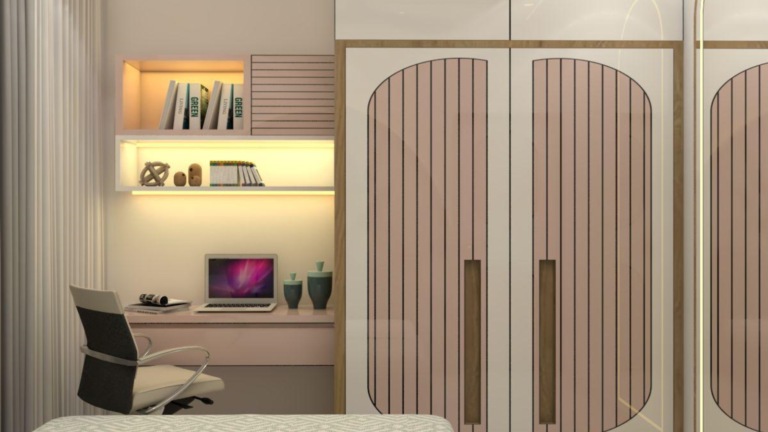
✅ Storage Solutions – Floating shelves, filing cabinets, and storage boxes keep clutter away.
✅ Minimalist Desk Setup – Keep only the essentials like your laptop, notebook, and a few decorative elements.
4. Add Personal Touches
✅ Inspirational Decor – A small plant, motivational artwork, or a stylish lamp can make the workspace feel more inviting.
✅ Color Psychology – Blue promotes focus, green enhances creativity, and neutral tones reduce stress.
5. Incorporate Smart Technology
✅ Smart Lighting – Adjustable lighting helps create the right ambiance for different tasks.
✅ Noise-Canceling Headphones – Great for working in shared spaces.
✅ Smart Assistants – Voice-controlled devices like Alexa or Google Assistant can streamline tasks.
Conclusion
A well-designed work-from-home space should be comfortable, organized, and inspiring. With the right setup, you can boost productivity while maintaining a balanced and enjoyable work environment.